Form 1023 signature and supplemental responses upload
There’s no need to physically or electronically sign Form 1023 when filing online. However, by submitting the application, you’re declaring under penalties of perjury that you’re authorized to sign on behalf of your organization, that you’ve thoroughly reviewed the application, and to the best of your knowledge, everything is true, correct, and complete.
Be warned: if any information is knowingly false or misleading, you could face serious legal penalties, including fines, denial of tax-exempt status, or even criminal charges.
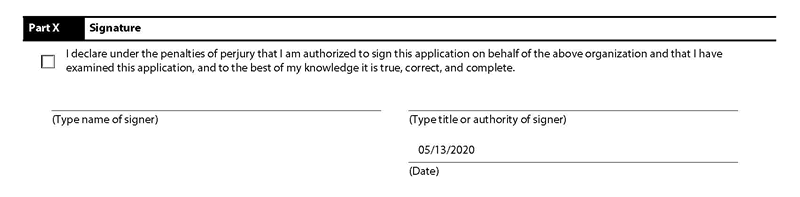
There is a little checklist on the next page which you should check all that apply to you and proceed to upload your attachments and supplemental responses (Bylaws, Conflict of Interest Policy, Narrative and budget,…)
All the form 1023 supplemental responses and organizing documents should be combined into a single PDF file as the IRS doesn’t accept multiple uploads on pay.gov. It would be very nice if you make a table of content for the first page of the form 1023 PDF binder attachment to show where and which page the examiner can find each document. This table of content is included with my download package, so use it.
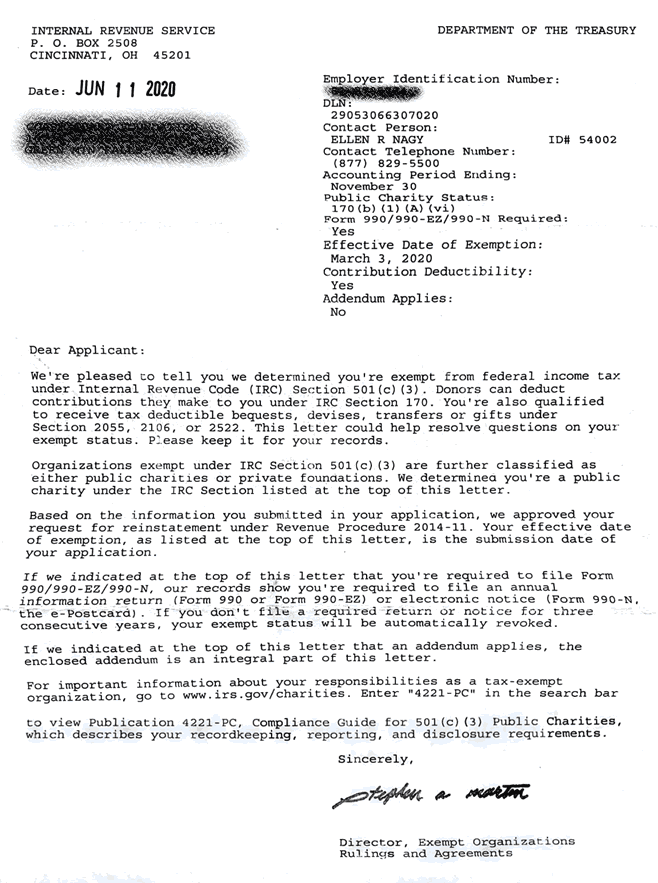
If you have done everything right, you’ll receive a determination letter like this and you can finally open the champagne bottle.
If you need to expedite your form 1023 application, proceed to the next section. If you need me to review your form 1023 and organizing documents to make sure everything is correct please see the Form 1023 Application Review Page.
A few reasons why the IRS may reject your form 1023 application:
Incomplete Application
If an exemption application does not contain the required information, the IRS may return it with a letter of explanation, and will not consider the application on its merits. If you resubmit a completed application within the time period indicated in the letter from the IRS, it will be considered received on the original submission date. In that case, if the original submission was timely, the application will be considered timely filed.
Different Application Form Needed
If a different application form is required for your organization, the IRS will so advise your organization and will provide the appropriate application form for your convenience in reapplying under that paragraph, if you wish to do so. Although supporting information previously furnished need not be duplicated, you must provide any necessary additional information required for the application. If your reply is not received within a limited time, your application will be processed only for the paragraph under which you originally applied.
When a specific application form is needed for the paragraph under which your organization qualifies, that form is required before a letter recognizing exemption can be issued. This includes cases in which an exemption letter is modified to recognize an organization’s exempt status under a paragraph other than the paragraph under which it originally established exemption.
IRS Responses
Organizations that submit a complete Form 1023 application will receive an acknowledgment from the IRS. Others will receive a letter requesting more information or returning an incomplete application. Applicants also will be notified if the application is forwarded to the Headquarters of the IRS for consideration. These letters will be sent out as soon as possible after receipt of the organization’s application.
Best of luck to you and don’t forget to leave a feedback on the testimonial page and ask any questions you may have.
(Next Step) Instructions For IRS Form 1023 – User Fee Information
(Previous Step) Instructions For IRS Form 1023 Part IX – Annual Filing Requirements
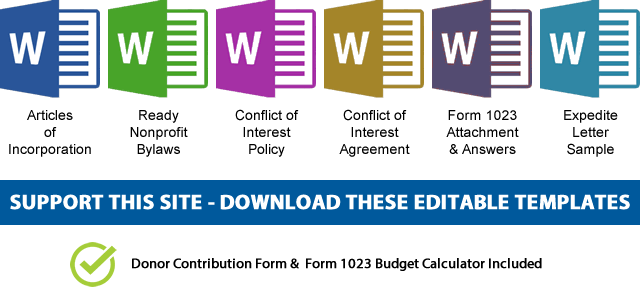 NOTE: If you’d like to receive the following organizing documents:
- Nonprofit Articles of Incorporation,
- Nonprofit Bylaws,
- Nonprofit Conflict of Interest Policy,
- Conflict of Interest Policy Acknowledgment,
- Form 1023 Attachment with all the answers,
- Form 1023 Expedite Letter template,
- and Donor Contribution Form
in Microsoft Word Document format, please consider making a donation and you’ll get to download them immediately. Not only they're worth well over $1000 in value, they will save you weeks of copy pasting and formatting as they are ready to go templates which only need changing names and addresses.